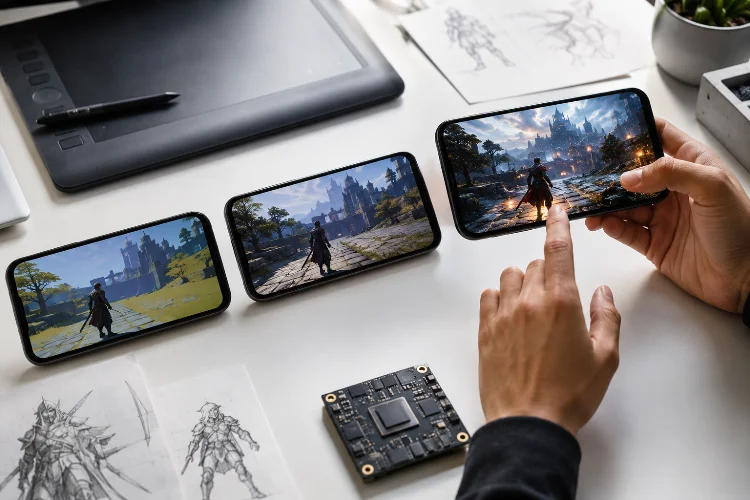
Android game development comes with one unavoidable challenge: hardware diversity. The same game may run on a budget phone with limited RAM, a mid-range device with a capable GPU, and a flagship that can push far more pixels and effects.
Designing around GPU and Memory Capability Tiers gives teams a practical way to handle those differences without building separate games.
Instead of hoping one graphics preset works everywhere, developers can define realistic performance groups and adjust assets, rendering features, memory budgets, and frame-rate targets for each one.
Why Android Games Need Capability Tiers
Android devices can differ dramatically in GPU speed, RAM capacity, thermal design, resolution, and memory bandwidth.
Google’s Android game-launch guidance explicitly recommends categorizing target devices according to hardware capabilities.
Its example groups include low-end devices with roughly 2-4 GB of RAM, mid-range devices with 4-8 GB, and high-end devices starting around 8 GB, while noting that actual tiers should reflect the requirements of each game.
That last point matters.
A simple 2D puzzle game and an open-world action RPG should not use identical hardware classifications. Capability tiers should describe what your workload requires, not merely repeat marketing labels such as “budget” or “flagship.”
Build Tiers Around GPU and RAM Together
RAM alone is not enough to classify a gaming device.
An Android phone may ship with 8 GB of memory but use a relatively modest GPU. Another device with the same RAM capacity might contain significantly faster graphics hardware.
That is why teams should evaluate GPU capability and memory capacity seperately before combining them into practical presets.
A hypothetical structure might use three groups. Tier 1 targets limited GPUs and approximately 2–4 GB devices, Tier 2 covers mainstream graphics hardware and roughly 4–8 GB, while Tier 3 enables premium rendering on stronger GPUs with larger memory headroom.
Google’s own launch guidance similarly shows device lists containing both RAM and GPU models rather than classifying hardware by memory alone.
The purpose is not perfect hardware taxonomy. It is choosing a safe starting configuration.
Assign a Memory Budget to Every Tier
More RAM does not mean a game should allocate as much memory as possible.
Android manages memory across the entire system, and the CPU and GPU ultimately draw from the device’s RAM resources. When available memory becomes exhausted, performance can fall sharply as the system starts reclaiming resources and terminating processes.
For games, memory budgets should cover more than the obvious heap.
Textures, meshes, animation data, audio, shaders, native allocations, caches, scene data, and temporary loading buffers can all contribute to pressure.
Current Android vitals guidance even breaks memory expectations into physical-memory ranges such as 4 GB, 6 GB, 8 GB, and 12 GB devices, illustrating why memory behavior needs to be evaluated against hardware class.
Set a conservative budget for each tier and leave headroom for the operating system and unexpected spikes.
Texture Quality Is Often the First Big Lever
Textures are one of the easiest places for capability tiers to become visible.
A premium Android device might reasonably use high-resolution character textures, richer environment maps, and larger shadow resources. A lower tier can use reduced texture resolutions without changing the actual gameplay.
For example, an art pipeline might provide 1024-pixel assets on the lowest preset, 2048 on the middle preset, and selected 4096 assets on premium hardware.
That does not mean every texture should blindly follow the same multiplier.
Large textures used on tiny background props waste memory regardless of device power. Texture streaming, compression, mip selection, and scene-specific budgets remain important.
The most effective tiering system reduces resources players are unlikely to notice before touching visual elements that strongly shape perceived quality.
Scale GPU Features Independently
One giant “Low, Medium, High” switch is easy to implement but often inefficient.
A device can handle high-resolution textures while struggling with expensive shadows. Another may have enough GPU compute for effects but become fill-rate limited at native display resolution.
Android Performance Tuner supports fidelity parameters such as shadow quality, texture resolution, and particle detail, letting developers associate real frame-time performance with different quality configurations and device specifications.
This makes individual rendering levers more useful than rigid presets.
Teams can scale shadow resolution, cascades, particles, post-processing, anti-aliasing, render resolution, reflection quality, vegetation density, and draw distance independently.
Your tiers provide the baseline. Profiling determines which individual features should move up or down.
Treat Resolution and Frame Rate as a Shared Budget
A stronger GPU can generate prettier frames, more frames, or some combination of both.
Trying to maximize everything at once is where many mobile games run into trouble.
Android Performance Tuner describes good rendering performance as maintaining a stable target frame rate while providing the highest practical level of graphical detail. Depending on the game, that target may commonly be 30 or 60 FPS.
Suppose a mid-range device cannot hold 60 FPS at native resolution with full shadows.
You could lower every visual feature. But dynamic or reduced render resolution might preserve character detail and effects while reducing pixel workload.
For some games, a stable 30 FPS with richer visuals is preferable. Competitive titles may prioritize consistant 60 FPS instead.
Tier design should begin with the experience you want to protect.
Match Assets to Hardware Before Download
Capability-aware design can also affect what users download.
Google Play’s device targeting system can target properties including RAM, device model, system features, and, on supported devices, system-on-chip characteristics. It can therefore deliver certain assets only to appropriate device groups.
This can be useful for games with large optional high-resolution resources.
A low-tier phone does not necessarily need several gigabytes of premium textures it will never display.
Separating asset packs can reduce storage pressure and installation cost while keeping high-fidelity content available for capable devices.
However, keep your grouping manageable. Maintaining 15 asset variants creates operational complexty that may outweigh the memory savings.
A few meaningful hardware classes are usually easier to test and maintain.
Validate Tiers on Representative Devices
A spreadsheet describing GPU models is only the beginning.
Test representative hardware from each target tier, including devices near the lower boundary. If your mid-range category includes 4–8 GB phones, do not validate it only on an 8 GB model.
Google recommends identifying important target devices using market and Play Console data, then testing across relevant manufacturers and hardware combinations.
Monitor frame pacing, peak memory, loading behavior, crashes, visual artifacts, and long-session stability.
If a significant number of devices consistently fail inside a tier, split or redefine it.
Good capability tiers evolve from measured performance, not assumptions about product names.
GPU and Memory Capability Tiers give Android game teams a structured way to serve very different devices without sacrificing the core experience.
The strongest systems combine GPU performance, RAM limits, texture budgets, rendering features, and realistic frame-rate goals.
Start with a small number of hardware classes, profile representative devices, and refine each quality lever from real performance data rather than relying on specification sheets alone.