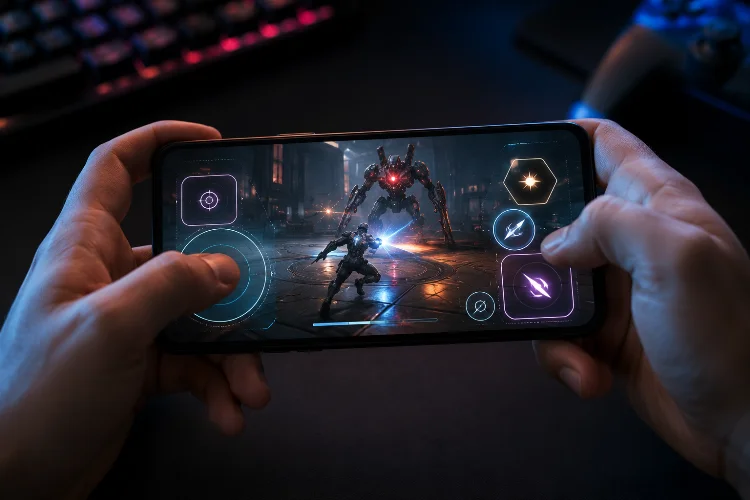
In a slow mobile app, missing a button once is usually a minor annoyance. In a competitive mobile game, the same mistake can mean losing a combo, taking damage, or missing a perfectly timed action.
That is why How Touch Target Geometry affects gameplay far beyond basic interface design. Button dimensions, shape, spacing, location, and invisible hit areas all influence how quickly players can react.
When actions happen several times per second, even small geometric decisions can determine whether controls feel responsive or frustrating.
Why Geometry Matters More at High Input Speeds
Fast games expose interface weaknesses that ordinary mobile applications can hide. A menu button may only be tapped once every few minutes, but an attack, dodge, jump, or skill control might receive hundreds of interactions during one session.
Fitts’ Law helps explain the relationship. In simplified terms, targets generally become easier to acquire when they are larger or closer to the user’s starting position.
Research into finger-based touchscreen interaction also suggests that traditional pointing models need adjustments because fingers create different error patterns from mouse pointers.
For game designers, this means visual elegance cannot be the only goal. Touch target sizing must support rapid movement without forcing players to slow down just to achieve accurracy.
Target Size Is Bigger Than the Visible Button
One common mistake is assuming that the visible artwork and interactive area need identical dimensions.
Apple’s accessibility guidance lists 44×44 points as the recommended minimum target size for iOS and iPadOS. Android guidance recommends touch targets of at least 48×48 dp, which corresponds to roughly 9 mm physically.
These values provide useful baselines, but fast games may benefit from larger invisible hitboxes.
Imagine a circular attack button that visually occupies 42 points. Developers could keep that compact appearance while allowing touches within a larger surrounding region to activate the action. Players see a clean HUD but receive a more forgiving control surface.
The trick is making sure expanded areas do not collide with neighboring controls.
Shape Changes the Effective Target
Size alone does not describe a touch target. Geometry includes width, height, curvature, orientation, and the direction from which the player’s finger approaches.
A circular button works naturally for isolated actions because its center is equally accessible from many directions.
A wide horizontal control may be better when movement mostly approaches from the side. Vertical rectangles can provide additional tolerance when thumb movement tends to drift upward or downward.
Research into touchscreen endpoint distributions has found that finger input errors are not necessarily perfectly circular around a target. Error patterns can be elliptical, making direction relevant when predicting where a tap will actually land.
This matters when refining control responsivness. Instead of automatically enlarging a target equally on every side, developers can extend the hit area primarily toward the region where missed taps occur.
Spacing Can Matter as Much as Button Size
Increasing every hitbox sounds like an easy solution until two abilities sit beside each other.
Android accessibility guidance recommends around 8 dp or more between touch targets in typical interfaces. The broader principle is especially important in games: nearby interactive regions need enough seperation to prevent ambiguity.
Suppose a player has attack and dodge buttons near the lower-right corner. Enlarging both invisible regions could reduce missed taps but simultaneously increase incorrect actions.
A better solution may be asymmetric hitboxes. The outer edge of each button can expand significantly, while the boundary facing the neighboring button remains tighter.
Developers can also create explicit neutral zones where neither control activates until the input crosses a defined threshold.
Thumb Reach Creates Asymmetric Game Interfaces
Human hands are not symmetrical input devices.
When a phone is held in one hand, the thumb moves through an arc. Some screen areas are easy to reach while others require stretching, rotating the device, or adjusting grip.
Research on one-handed smartphone use has shown that target location influences performance, while thumb length and screen dimensions affect reachable areas.
That makes control location part of mobile game input geometry.
Primary buttons should generally occupy comfortable thumb zones when they must be triggered repeatedly. Less frequent actions can tolerate more distant positions.
Developers should also test left-handed configurations rather than simply mirroring graphics. The calbration of hit regions, joystick centers, and gesture zones may need its own validation.
Multitouch Requires Different Geometry Rules
High-speed mobile games rarely depend on isolated taps alone. Players may hold a virtual joystick while tapping attack, sliding toward an ability, or using several fingers simultaneously.
This creates overlapping input territories.
A virtual joystick often benefits from a large continuous interaction region because movement is determined by position rather than a single tap.
An attack button needs a more clearly defined activation boundary. Gesture zones require enough open space for motion recognition.
Android’s game-development documentation processes touch through motion events, allowing games to inspect actions and pointer data as part of the game loop.
The geometry therefore needs to consider not just where a touch begins but what happens while it moves.
Test Geometry With Real Gameplay Data
The best dimensions rarely come from a design file alone.
During playtesting, developers can record where touches begin, where successful activations happen, where misses cluster, and which neighboring action is accidentally triggered. Heatmaps make these patterns much easier to see.
Consider a hypothetical skill button with a 6% missed-input rate. If most misses appear immediately outside its upper-left boundary, expanding the entire target may be unnecessary.
Extending that specific edge might solve the problem without affecting nearby controls.
Teams should track miss rate, accidental activation rate, time between intended actions, repeated correction taps, and player settings.
Testing several device sizes is equally important. Geometry that feels consistant on a compact phone can become awkward on a large display.
Touch controls feel fast when their geometry matches how people actually move their fingers. Size, shape, spacing, reach zones, and invisible hitboxes all contribute to reliable high-speed interaction.
Instead of treating controls as static artwork, test them as dynamic input regions. Start collecting touch heatmaps, study your players’ misses, and refine each target around real gameplay behavior.